
 Image 1 of 5
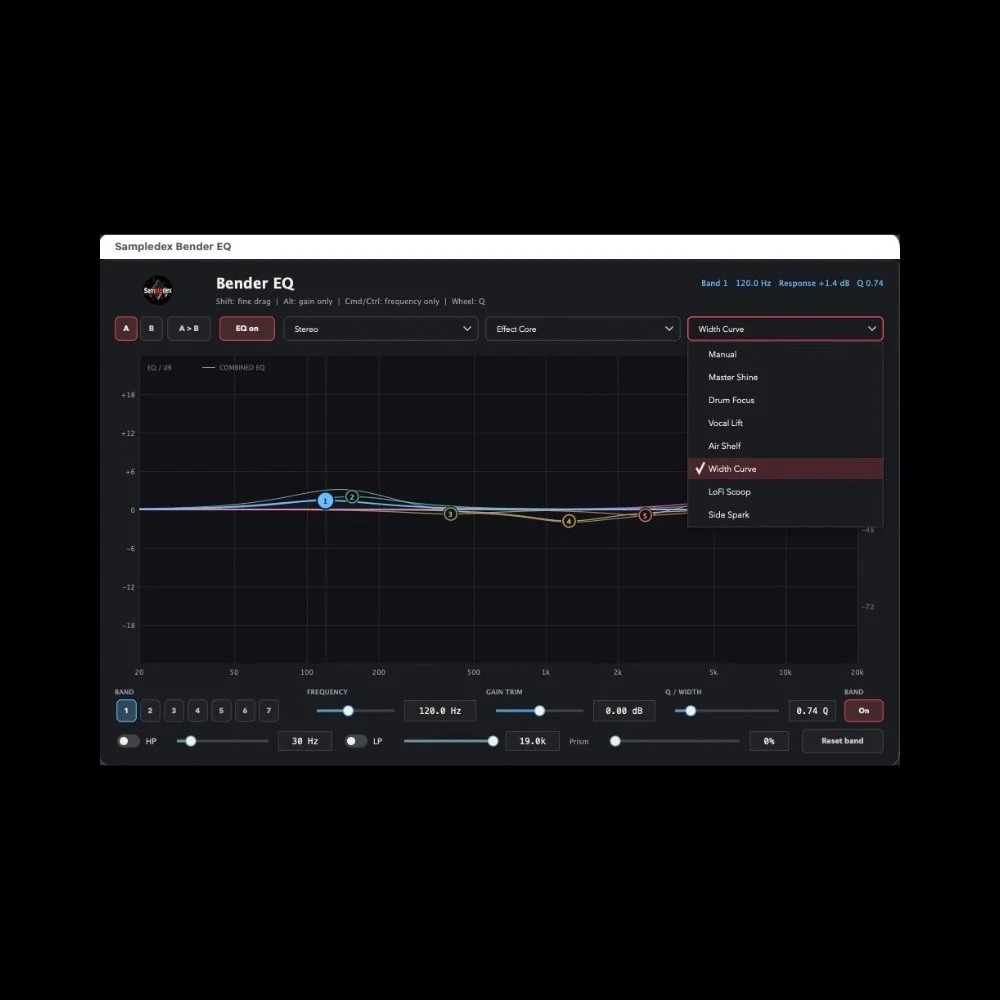 Image 2 of 5
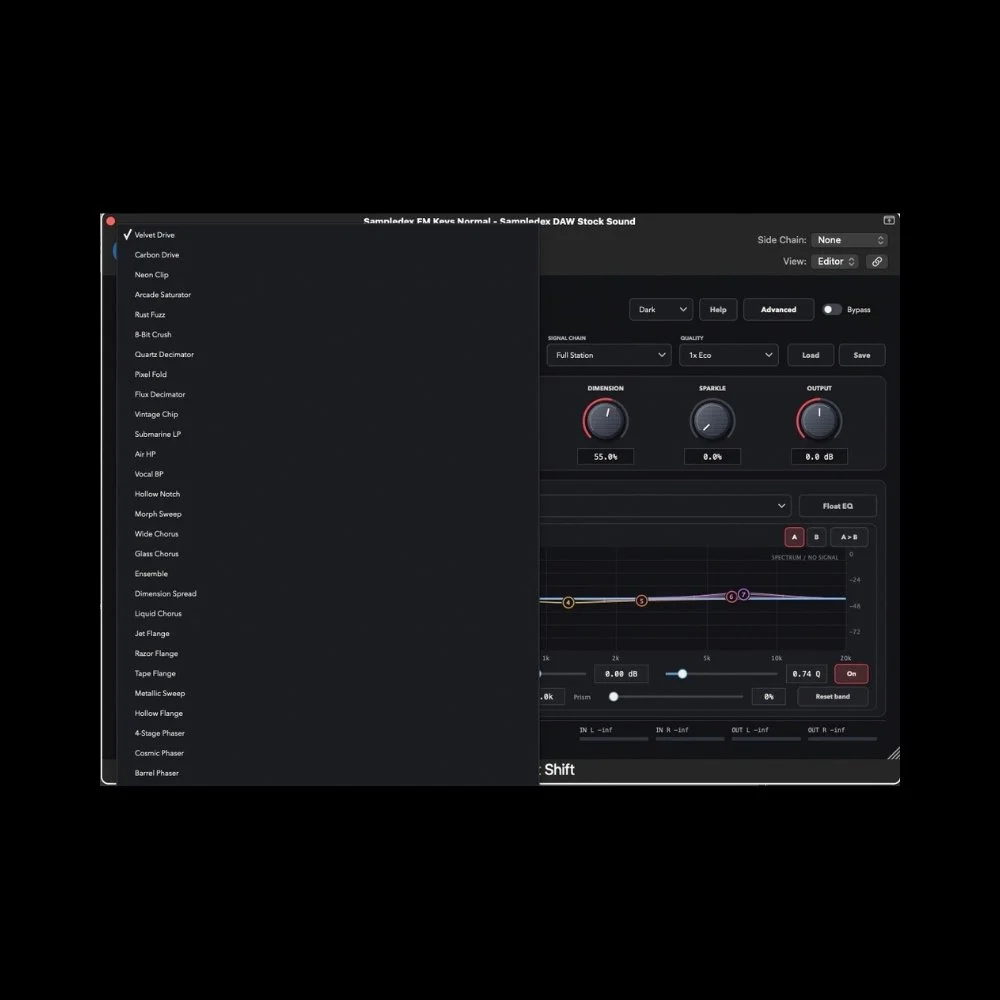 Image 3 of 5
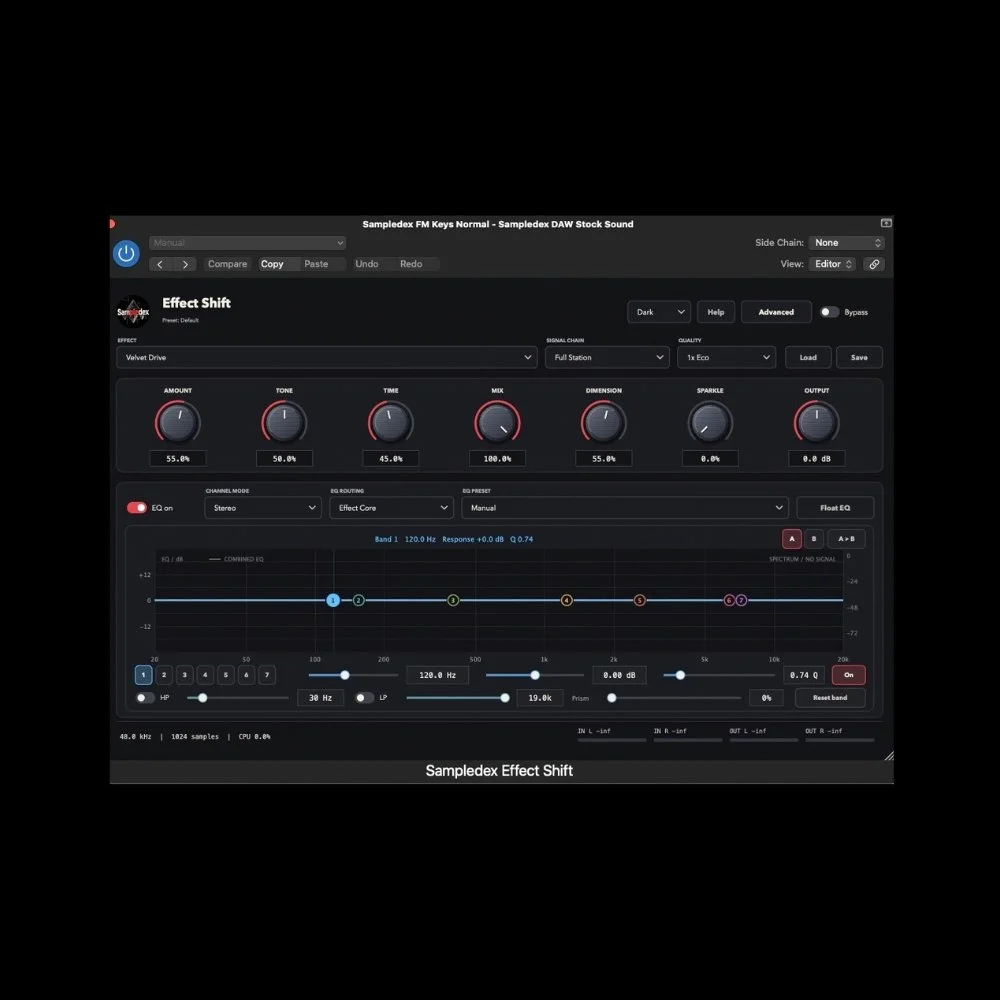 Image 4 of 5
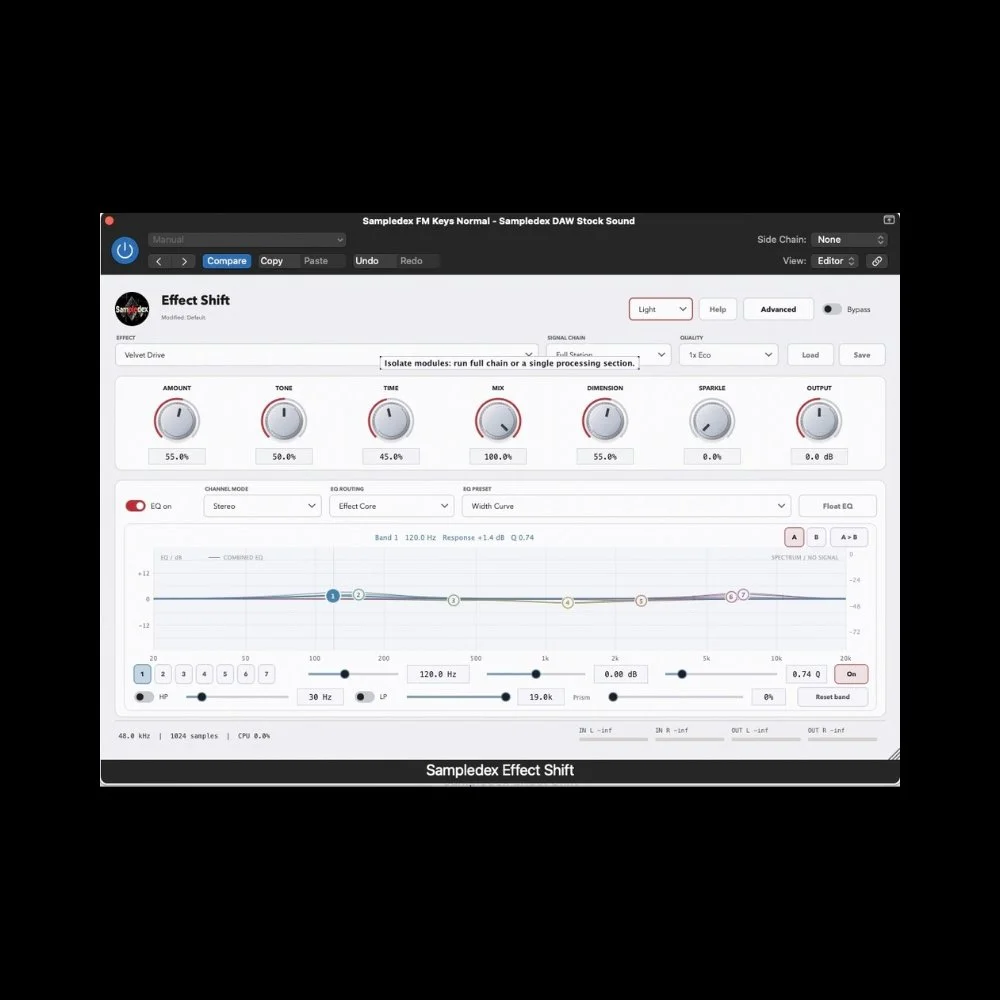 Image 5 of 5
Shift the sound. Shape the character.
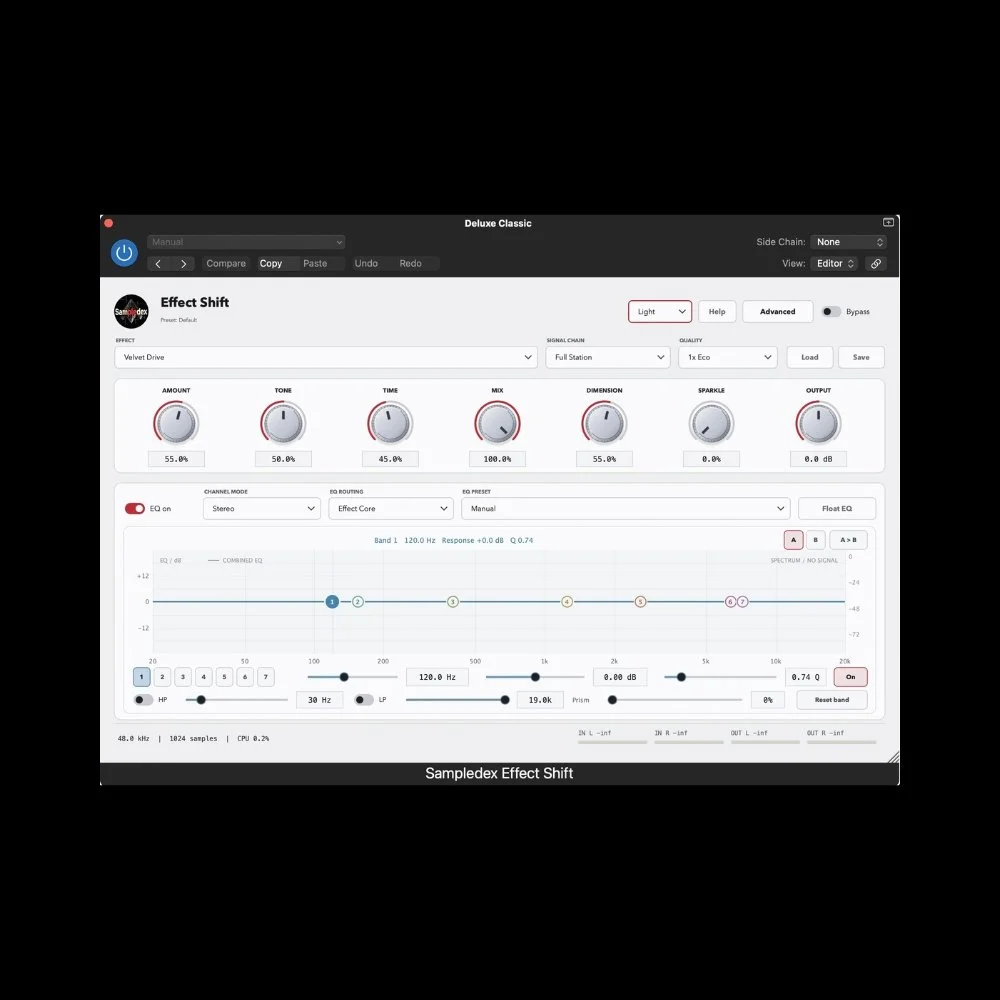
Sampledex Effect Shift combines 50 selectable effects, seven macro controls, detailed Bender EQ, and creative spatial processing in one flexible interface for windows production.
Move from warm saturation and digital grit to swirling modulation, rhythmic echoes, and atmospheric reverb. Chooseyour effect, shape its character with intuitive macros, then refine the result with seven bands of EQ. Add weight todrums, movement to synths, or depth to a melody while keeping control of the balance.
Key Features
50 Selectable Effects: Explore saturation, bit crushing, filters, chorus, flanging, phasing, tremolo, ringmodulation, delay, and reverb.
Seven Macro Controls: Shape your sound with Amount, Tone, Time, Mix, Dimension, Sparkle, and Output,keeping the main controls within easy reach.
Seven-Band Bender EQ: Sculpt your tone with individual frequency, gain, and Q controls, colored responsecurves, numbered handles, and high-pass and low-pass filters.
Flexible EQ Routing: Process the effect signal, the full track, or both. Stereo, Mid, Side, and Mid+Side modesprovide additional control over tonal balance.
HoloRune Character: Explore Glass, Magnetic, and Phantom modes, then blend in the amount to introduceadditional texture and movement.
Creative Spatial Processing: Shape width and depth with Wide, Orbital 3D, and Binaural 3D modes, from subtleexpansion to more pronounced spatial movement.
Sidechain Ducking: Create space around another track using an external sidechain signal, with adjustable ducking intensity in compatible hosts.
Selectable Oversampling: Choose 1x Eco, 2x Balanced, or 4x High to balance processing quality and CPU usefor your session.
Preset and Comparison Tools: Start with an EQ voicing, save and load your own complete sounds, and compareEQ settings with A/B and Copy controls. Recall your settings with your DAW project.
Resizable Interface and Themes: Adapt the workspace to your screen, access deeper controls through Advanced,and choose Light or Dark mode to suit your session.
System Requirements
Windows
Windows 10 or Windows 11
64-bit x64 system
VST3-compatible 64-bit DAW
Format: VST3
Shift the sound. Shape the character.
Sampledex Effect Shift combines 50 selectable effects, seven macro controls, detailed Bender EQ, and creative spatial processing in one flexible interface for windows production.
Move from warm saturation and digital grit to swirling modulation, rhythmic echoes, and atmospheric reverb. Chooseyour effect, shape its character with intuitive macros, then refine the result with seven bands of EQ. Add weight todrums, movement to synths, or depth to a melody while keeping control of the balance.
Key Features
50 Selectable Effects: Explore saturation, bit crushing, filters, chorus, flanging, phasing, tremolo, ringmodulation, delay, and reverb.
Seven Macro Controls: Shape your sound with Amount, Tone, Time, Mix, Dimension, Sparkle, and Output,keeping the main controls within easy reach.
Seven-Band Bender EQ: Sculpt your tone with individual frequency, gain, and Q controls, colored responsecurves, numbered handles, and high-pass and low-pass filters.
Flexible EQ Routing: Process the effect signal, the full track, or both. Stereo, Mid, Side, and Mid+Side modesprovide additional control over tonal balance.
HoloRune Character: Explore Glass, Magnetic, and Phantom modes, then blend in the amount to introduceadditional texture and movement.
Creative Spatial Processing: Shape width and depth with Wide, Orbital 3D, and Binaural 3D modes, from subtleexpansion to more pronounced spatial movement.
Sidechain Ducking: Create space around another track using an external sidechain signal, with adjustable ducking intensity in compatible hosts.
Selectable Oversampling: Choose 1x Eco, 2x Balanced, or 4x High to balance processing quality and CPU usefor your session.
Preset and Comparison Tools: Start with an EQ voicing, save and load your own complete sounds, and compareEQ settings with A/B and Copy controls. Recall your settings with your DAW project.
Resizable Interface and Themes: Adapt the workspace to your screen, access deeper controls through Advanced,and choose Light or Dark mode to suit your session.
System Requirements
Windows
Windows 10 or Windows 11
64-bit x64 system
VST3-compatible 64-bit DAW
Format: VST3